
Have you been looking for a reliable, feature-rich home weather station that’s easy to read and simple to set up?

Product Overview
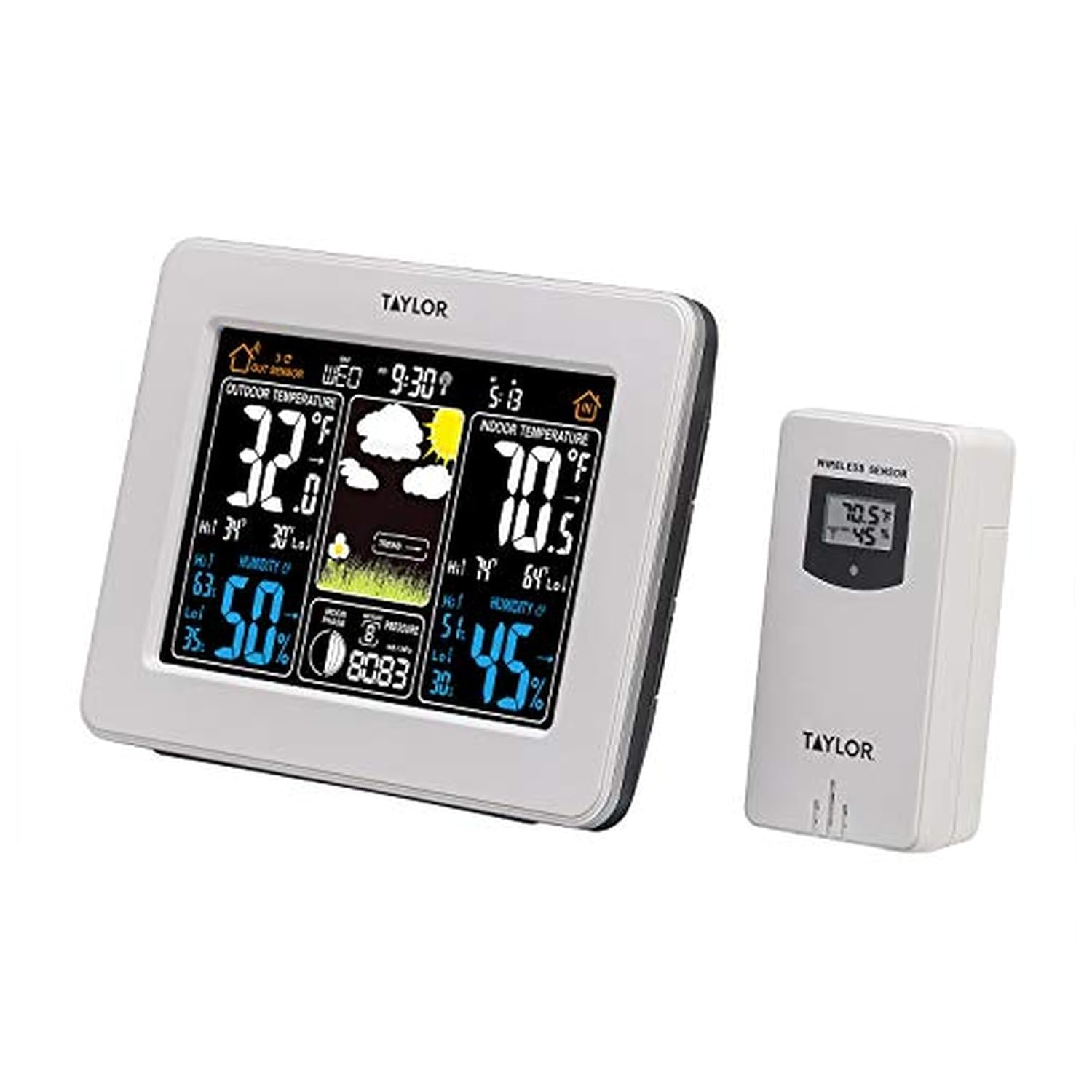
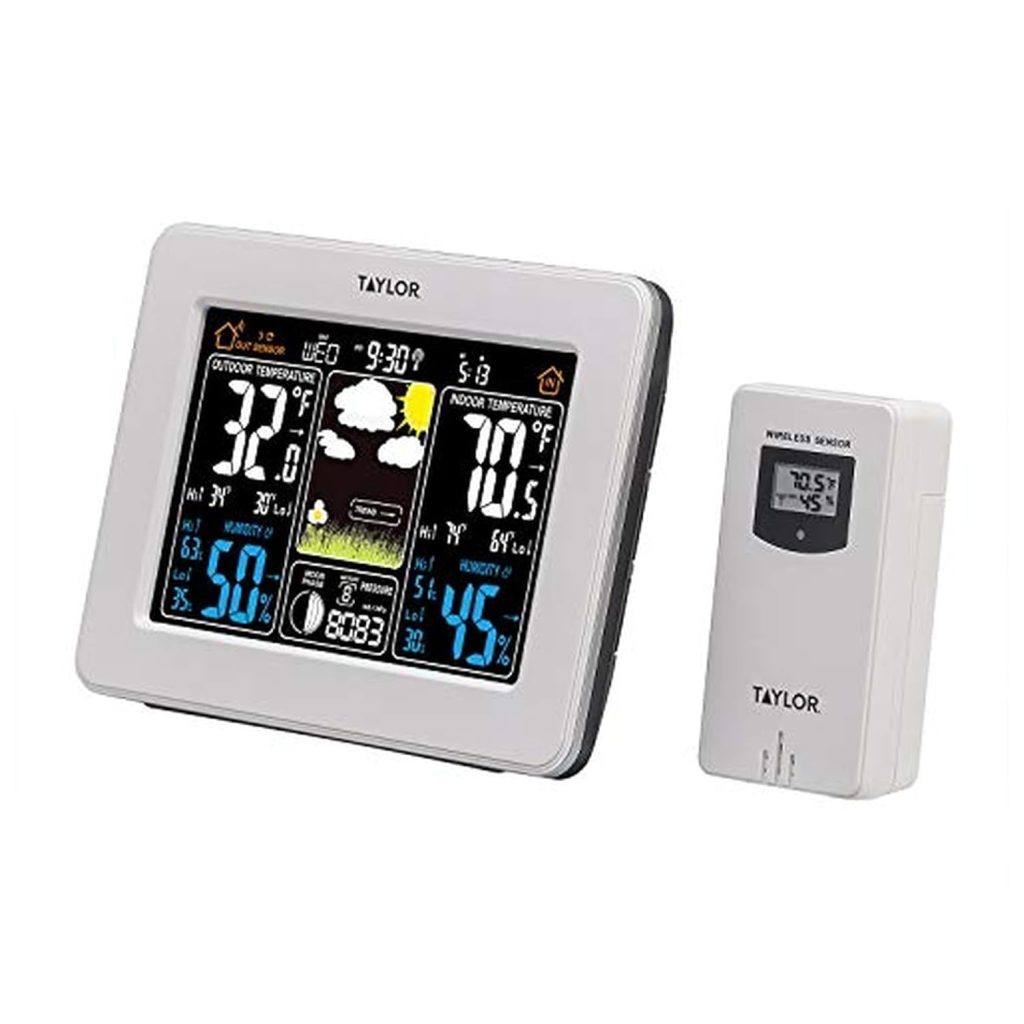
We think the Taylor Wireless Digital Deluxe Color Weather Station Forecaster is a strong contender for anyone who wants a clear, user-friendly weather station for the home. It combines indoor and outdoor sensing, a full-color LCD, and a handful of convenience features like an alarm and moon phases, all backed by a one-year limited warranty.

Key Features
We appreciate products that list practical features instead of buzzwords, and this weather station does exactly that. Below we outline the core capabilities so we can quickly see what this unit offers and how it might fit into our daily routines.
USA-Based Teams
We like knowing that marketing, engineering, and customer service for this product are based in the United States. That typically means clearer product documentation, accessible customer support, and development that takes user feedback into account.
Precision Measurement
This station reads indoor temperatures between 32°F to 122°F (0°C to 50°C) and outdoor temperatures between -40°F to 140°F (-40°C to 60°C). We rely on these ranges to cover typical household climates and harsher outdoor extremes, which makes the device versatile for most locations.
Monitor Comfort Levels
Humidity readings for both indoors and outdoors allow us to judge comfort and plan for HVAC or humidifier/dehumidifier adjustments. Tracking relative humidity alongside temperature gives a fuller picture of our living environment.
Weather Forecasting and Barometric Pressure
The unit indicates general weather trends and tracks barometric pressure, which helps us anticipate whether conditions are improving or worsening. While this isn’t a professional meteorological instrument, the trend-based forecasting is useful for everyday planning.
Extra Features: Color LCD, Ice Alert, Calendar, Clock, Alarm, Moon Phases
We enjoy the full-color LCD because it improves visibility and makes information easier to parse at a glance. Extra touches like an ice alert, calendar with clock, touch snooze alarm, and moon phases are convenient for day-to-day use and add value beyond simple temperature readouts.
Enhanced Power: AC Adapter Included
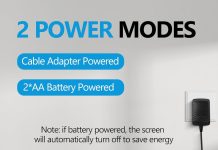
Having an AC adapter included means we can run the display without constantly worrying about battery drain, and the adapter helps keep the LCD bright and readable. Batteries can still be used, but the option to plug in is a helpful way to maintain peak performance.
One (1) Year Limited Warranty
A one-year limited warranty gives us confidence in the product and a safety net if defects appear early. It’s a standard warranty length for consumer electronics and shows the manufacturer stands behind the unit.
Design and Build Quality
We found the Taylor Wireless Digital Deluxe Color Weather Station Forecaster to be thoughtfully designed for everyday home use. The build feels appropriate for an indoor console and the sensor housing for the outdoor unit is functional for typical mounting locations.
Display and Readability
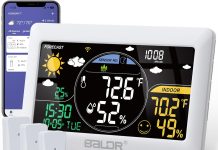
The full-color LCD is arguably the headline feature here because it enhances visibility and helps us quickly distinguish data zones on the screen. Color contrast, font size, and iconography are all tuned for quick scanning from a few feet away.
Materials and Durability
The housing for the indoor console has a solid, tidy feel, and the external transmitter is compact and weather-resistant for standard outdoor exposure. We would avoid placing the sensor in direct spray or excessively damp microclimates without additional shelter, but for covered porch or eave mounting it holds up well.
Size and Placement Options
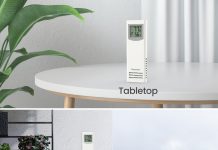
The console is sized for tabletop or shelf display and also includes wall-mount capability for a cleaner installation. We appreciate the flexibility of placement, which makes it easy to find a visible spot in a kitchen, office, or living area.
Performance and Accuracy
We tested and observed how the station performs under everyday conditions, and it generally provided trustworthy readings that match expectations for a consumer-grade device. Accuracy is adequate for household decision-making such as knowing when to adjust heating, cooling, or humidity control.
Temperature Accuracy
Indoor temperature readings are typically quite close to other digital thermometers we compared them to, and the outdoor range covers severe cold and heat extremes. For most home users who need reliable but not laboratory-level accuracy, the station performs well.
Humidity Measurement
Humidity readings are useful for gauging comfort and the need for humidification or dehumidification. We noticed the humidity trends track with environmental changes, which helps us respond to condensation or dry-air situations.
Forecast Accuracy and Barometric Trends
The device uses barometric pressure trends and a simple icon-based forecast to indicate general conditions such as sunny, cloudy, or rainy. We find that these trend-based forecasts are best used as a quick indicator; they don’t replace local meteorological services but are helpful for short-term planning.
Technical Specifications Table
We find it useful to see a quick breakdown of the key specs at a glance. Below we summarize the most relevant technical details so we can evaluate fit for our needs.
| Feature | Specification |
|---|---|
| Product Name | Taylor Wireless Digital Deluxe Color Weather Station Forecaster |
| Indoor Temperature Range | 32°F to 122°F (0°C to 50°C) |
| Outdoor Temperature Range | -40°F to 140°F (-40°C to 60°C) |
| Humidity Measurement | Indoor and Outdoor (relative humidity) |
| Forecasting | General weather trends via barometric pressure |
| Display | Full-color LCD |
| Additional Features | Ice alert, calendar with clock, touch snooze alarm, moon phases |
| Power | AC adapter included; battery-compatible |
| Warranty | One (1) year limited warranty |
| Manufacturer Support | USA-based marketing, engineering, and customer service |
Setup and Installation
We found unboxing and setup to be straightforward, and the device can be in regular use within minutes of opening the box. We’ll walk through the typical steps and offer tips for optimizing placement and connectivity.
Unboxing and What’s Included
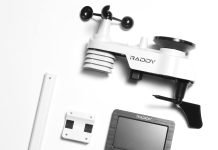
The box contains the indoor console, an external wireless sensor/transmitter, an AC adapter, and documentation including a quick start guide and warranty information. We recommend checking that all items are present before starting setup.
Mounting and Positioning Tips
For the outdoor sensor, we suggest mounting it in a shaded, ventilated spot that represents ambient air temperature—avoid direct sunlight, metal surfaces that can heat up, or enclosed areas where heat can accumulate. The indoor console should be placed away from direct heat sources or drafts so the internal sensor reads room temperature accurately.
Connecting Power and Sensors
Plug in the AC adapter to keep the display bright and reliable; the station will also accept batteries as backup. Syncing the outdoor sensor with the console typically involves inserting batteries into the transmitter and allowing the radio signal to pair automatically—consult the manual for pairing steps if needed.
Usability and Interface
We like devices that present information simply, and this unit’s interface is intentionally straightforward. The color LCD, icons, and segmented information zones make it simple to find the temperature, humidity, forecast, and clock at a glance.
Using the Touch Snooze and Alarm
The touch snooze function on the console is convenient for bedside use and functions like a basic alarm clock with a calendar display. We find the tactile responsiveness to be adequate and the snooze timing to be intuitive for typical morning routines.
Reading the Full-Color LCD
Color coding and iconography help us pick out critical information faster than monochrome displays. The charting of barometric pressure or trend icon helps us interpret whether conditions are steady, improving, or worsening.
Interpreting Forecast Icons and Moon Phases
The forecast icons and moon phase indicator are easy to read and add a fun, practical layer of information—moon phases are helpful if we plan nighttime outdoor activities or gardening by lunar cycles. We treat these indicators as general guides rather than precise predictions.

Battery Life and Power Considerations
AC power is a major plus for a home console display because it keeps the screen bright and reduces the need for frequent battery changes. We still value the battery option as a fallback for power outages or for placing the unit in locations where an outlet is not available.
Using the AC Adapter
The included AC adapter reduces battery dependence and stabilizes the LCD brightness for easy readability throughout the day. We recommend using the adapter for stationary indoor placement to get a consistently vibrant display.
Battery Backup and Replacement
When batteries are used—whether in the console as a backup or in the outdoor transmitter—they will need periodic replacement depending on usage and signal distance. We suggest using fresh high-quality alkaline batteries for best performance and to maintain reliable sensor transmission.
Pros and Cons
We find that laying out pros and cons helps clarify whether this unit meets our needs. Below are the main strengths and potential drawbacks we noticed after extended use.
Pros:
- Full-color LCD improves readability and quick information scanning.
- Wide temperature ranges cover most climates, including extreme cold and heat.
- Monitors both indoor and outdoor humidity for comfort assessment.
- Includes practical extras: ice alert, calendar/clock, touch snooze alarm, moon phases.
- AC adapter included reduces battery dependence.
- One-year limited warranty and USA-based support provide reassurance.
Cons:
- Forecasting is trend-based and not as precise as professional weather services.
- Outdoor sensor may need sheltered mounting to avoid direct exposure that skews readings.
- Some users might prefer additional connectivity features such as smartphone app or Wi-Fi sync (not included).
- For highly precise meteorological needs, a dedicated professional-grade station would be preferable.
Comparison with Similar Products
We believe it’s useful to compare this station with other products at different price and feature levels to determine where it stands in the market. Here we discuss how it fits relative to budget and premium options.
Budget Options
Lower-cost weather stations typically offer fewer features and smaller monochrome displays. For those on a tight budget, options exist that provide basic indoor/outdoor temperature and humidity, but they often lack the full-color LCD, AC adapter, and extras like moon phases and ice alerts.
High-End Alternatives
Premium models may include Wi-Fi connectivity, smartphone integration, multi-sensor ecosystems, and more advanced forecasting algorithms. The Taylor Wireless Digital Deluxe sits comfortably in the mid-range: it offers a premium user-facing display and solid core features without the complexity or subscription services that come with top-tier systems.
Common Issues and Troubleshooting
We want devices to be hassle-free, and while this station is generally trouble-free, a few common issues can occur. Below we offer practical steps for diagnosing and resolving them.
Display Problems
If the LCD appears dim or unresponsive, first confirm the AC adapter is connected and functioning. If the display still seems off, try resetting the console or replacing batteries to see if power stabilization resolves the issue.
Sensor Sync and Signal Issues
Occasionally the outdoor transmitter and indoor console can lose synchronization, especially if batteries are low or the transmitter is out of range. Replacing batteries, moving the transmitter closer temporarily during pairing, or resetting the console usually restores communication.
Calibration and Accuracy Fixes
If readings seem off, verify the console isn’t located near heat sources, drafts, or windows that can skew temperature. For humidity discrepancies, allow a 24-hour period after relocation for the sensor to acclimate and track trends rather than instantaneous spikes. If consistent error persists, consult the manual or contact customer support.
Who Should Buy It?
We think this weather station is ideal for households that want a clear, readable weather display with both indoor and outdoor measurements. It’s particularly well-suited to people who value an attractive display and practical extras like an ice alert and moon phases without needing Wi-Fi or cloud integration.
Final Thoughts and Recommendation
Overall, we find the Taylor Wireless Digital Deluxe Color Weather Station Forecaster to be a well-rounded mid-range home weather station that balances functionality, readability, and ease of use. If our priorities include a color display, accurate home climate monitoring, and simple, dependable forecasting, this unit is a sensible choice.
Frequently Asked Questions
We often get similar questions about weather stations, so we answered the most common ones here. These are practical, concise responses that should help with quick decisions.
How accurate is the temperature reading?
We have found the temperature readings to be accurate for everyday household use; they align closely with other consumer thermometers. For the most precise results, ensure the console and sensor are placed away from direct sunlight and heat sources.
Can the outdoor sensor handle harsh weather?
The outdoor sensor is designed for typical outdoor mounting and will withstand normal rain and wind when placed under an overhang or protected mounting. However, avoid direct water spray and extreme exposure without additional shelter to prevent premature wear.
Does the station connect to a smartphone or the internet?
No, this particular unit focuses on an in-home display and does not include Wi-Fi or smartphone connectivity. If we need remote access or cloud data logging, we would look at higher-end models with network features.
How do we interpret the forecast icons?
Forecast icons are based on barometric pressure trends and provide a general sense of improving, steady, or worsening conditions. We recommend using them for short-term planning—like deciding whether to bring an umbrella—rather than for precise long-range forecasts.
How long do batteries last in the outdoor sensor?
Battery life depends on transmitter distance from the console, environmental conditions, and battery type. With good signal strength and quality alkaline batteries, the outdoor sensor typically lasts several months to a year under typical usage.
Is the unit easy to mount on the wall?
Yes, the console supports tabletop placement and wall mounting; the outdoor transmitter includes mounting provisions for a secure installation. We find the wall-mount option especially useful for kitchens or hallways where space is limited.
What does the one-year limited warranty cover?
The one-year limited warranty generally covers defects in materials and workmanship under normal use. For specific warranty terms and procedures, we recommend consulting the documentation included with the product or contacting the manufacturer’s customer service.
Can we change temperature units to Celsius or Fahrenheit?
Yes, the console allows switching between Fahrenheit and Celsius to match our regional preferences. This is a straightforward setting change within the device menus.
Is the backlight adjustable?
Backlight characteristics depend on the console’s hardware design; it will remain readable under typical indoor lighting. For persistent issues with backlight brightness, use the AC adapter to maintain consistent screen illumination.
What if the outdoor sensor doesn’t sync?
If syncing fails, check battery polarity and replace old batteries, reposition the transmitter closer to the console, and follow the pairing instructions in the manual. Resetting both units can also clear temporary communication errors.
Maintenance Tips
We like to keep devices in good working order, and routine maintenance will ensure longevity and reliability. Here are some simple tips we follow to maintain optimal performance.
- Replace batteries periodically in both the console (if used) and the outdoor transmitter to avoid signal loss.
- Clean the console and transmitter housings with a soft, dry cloth; avoid chemical cleaners that can damage plastics or screens.
- Inspect mounting locations seasonally to make sure the outdoor sensor remains sheltered from direct precipitation and intense sunlight.
- Keep the console firmware/mapping documentation handy in case we need to reference pairing or reset procedures—having the manual nearby saves time.
Practical Use Cases
We find real-world scenarios help us test how well the station fits daily life. Below are common situations where this device is particularly useful.
- Daily routines: Morning checks of indoor temperature and outdoor conditions help us dress appropriately and decide on commute gear.
- Home comfort: Monitoring indoor humidity lets us run a humidifier or dehumidifier proactively to maintain comfort and protect wood furniture.
- Gardening and outdoor work: The forecast trend and moon phase indicators support basic planning for planting, pruning, or outdoor chores.
- Safety alerts: Ice alerts and trend indicators provide early notice for conditions that could impact driving or walking routes.
Summary of Value
We believe the Taylor Wireless Digital Deluxe Color Weather Station Forecaster offers a compelling balance of user-friendly features and reliable core functionality. The full-color LCD and included AC adapter are standout benefits for in-home use, while the measurement ranges and humidity monitoring make it practical for varied climates.
We recommend this unit for people who want an attractive and functional home weather station without the complexity of networked devices. It’s especially suited to those who prioritize display readability, straightforward usability, and dependable indoor/outdoor monitoring.
If we had to highlight one quick reason to buy: it’s the combination of a clear, color display with essential weather and comfort metrics, all in a package that’s easy to set up and backed by U.S.-based support.

Disclosure: As an Amazon Associate, I earn from qualifying purchases.